Como ya sabéis, RIM me regaló a principios de año una tableta Blackberry Playbook para la que he hecho algunas aplicaciones.
Hace ya tiempo que anunciaron que en una actualización futura podrían ejecutarse aplicaciones Android sobre el Playbook, lo que sin duda abriría la puerta a una enorme cantidad de nuevas aplicaciones de las que carece el sistema actualmente.
Tras hacerse de rogar, a mediados de octubre publicaron finalmente Playbook OS 2.0 como una beta para desarrolladores con la esperada compatibilidad de Android. El comunicado inicial era que en noviembre se publicaría la versión final estable y todos los Playbook se actualizarían, pero tristemente han pospuesto el lanzamiento hasta febrero, una pena porque, en teoría, además de las aplicaciones Android, vendría con una aplicación nativa para correo electrónico pop/imap/exchange, algo de lo que carece hoy en día a no ser que la conectes con un smartphone Blackberry. Es decir, hoy por hoy, no se puede ver el correo en el Playbook a no ser que lo enlaces con un teléfono. Todo esto podría hacer de Playbook un aparato mucho más competitivo de cara a la campaña de Navidad y así podría vender muchos más PlayEpubs :P.
Hablando de Android puramente, lo que han hecho en realidad es embeber una máquina virtual Android que es la encargada de ejecutar las aplicaciones. Aquí podéis ver el “escritorio” de Android corriendo sobre Playbook.

La primera impresión, tras instalar algunas aplicaciones, fue tremenda ya que funciona relativamente bien. No puedo decir que sea 100% fluido ni estable, pero considero que vale la pena solo por la oportunidad de tener aplicaciones que hasta ahora no era posible, como un simple cliente SSH.
Pero no todo iba a ser tan bonito. No se pueden instalar directamente los .apk de aplicaciones, lo han “capado” y hay que instalarla como aplicaciones Playbook normales, si intentas instalar un .apk te indica que no es posible. Para ello han creado un sistema de reempaquetamiento de .apks en .bar. Una vez en el formato nativo ya se pueden instalar y aparecen tanto en el menú de la Playbook como en el menú de aplicaciones de Android.
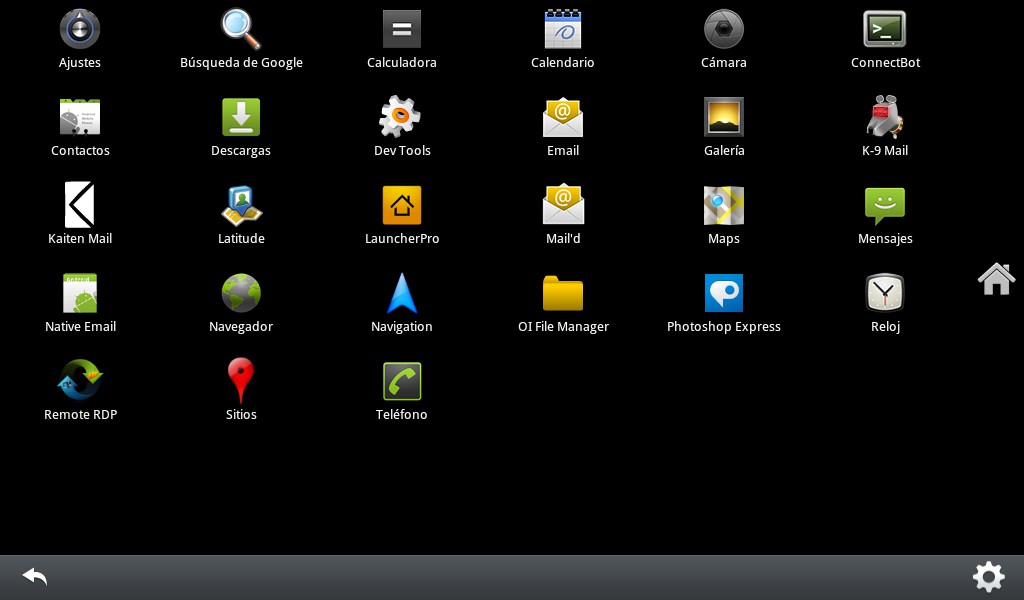
Los teléfonos Android suelen tener tres botones que se han conseguido de distintos modos al trasladarlos a un Playbook sin botones físicos:
- El botón “menú” de Android se convierte en el gesto “swipe down” de Playbook, con lo que la integración está bastante lograda.
- El botón “back” se crea con la barra inferior que aparece en la imagen, es el peor logrado ya que implica añadir esa barra a la pantalla.
- El botón “home” que lleva al escritorio se consigue con un gesto de 45º desde la parte inferior central de la pantalla, aceptable en cuanto le pillas el truco
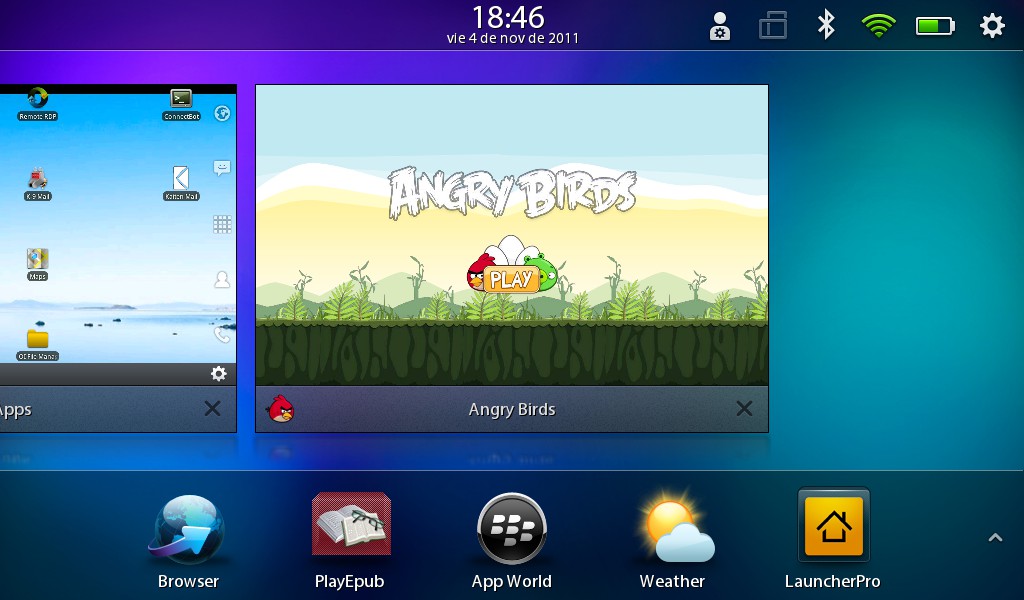
Aquí cabe puntualizar que el “launcher” que trae por defecto el Blackberry Runtime for Android no permite acceder a las funciones básicas de Android (escritorio, menú de aplicaciones, etc), pero esto lo podemos solucionar instalando cualquier aplicación “launcher” (LauncherPro en mi caso) y tendremos a nuestra disposición un Android casi completo y, entre otras cosas, tendremos el cliente de email de Android, aunque podemos instalar cualquier otro :). Cabe decir que es poco probable que cuando se lance oficialmente RIM deje instalar otros “launchers” que no sean el suyo propio, con lo que habrá que seguir instalándolo igual que se hace en la beta.
Según la documentación, no todas las aplicaciones Android funcionarán, entre otras funcionalidades que no estarán disponibles están:
- Widgets
- Todo lo que tiene que ver con el teléfono propiamente dicho, llamadas, SMS, MMS, obvio ya que no tiene opciones de teléfono.
- Bluetooth
- Camara
- NFC
- VoIP
- Apps that utilize native code bundled into their APK file
- Linux virtual file systems (/proc and /sys will not be supported at the app level)
- Add on libraries (all libraries defined by the tag in the app’s manifest other than “android.test.runner” are unsupported)
- The following Java software packages:
- Vending (In App Payments): com.android.vending
- Cloud To Device Messaging (Push): com.google.android.c2dm
- Google Maps: com.google.android.maps
- Text to Speech: com.google.tts
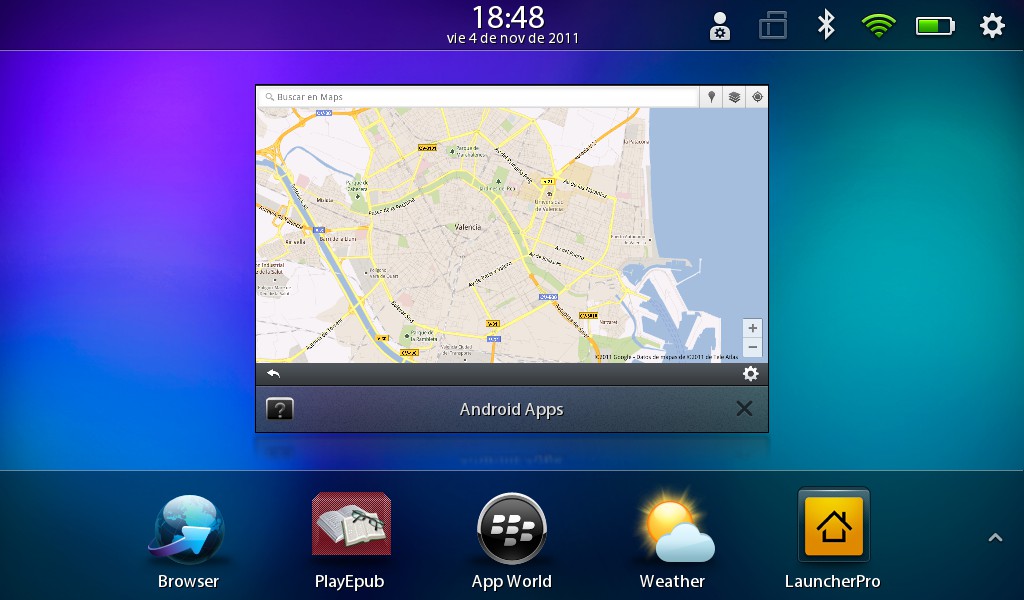
Aunque dicen que no funcionará Google Maps, doy fé de que sí funciona. Eso sí, no es del todo estable, aunque creo que eso es problema del runtime en general.
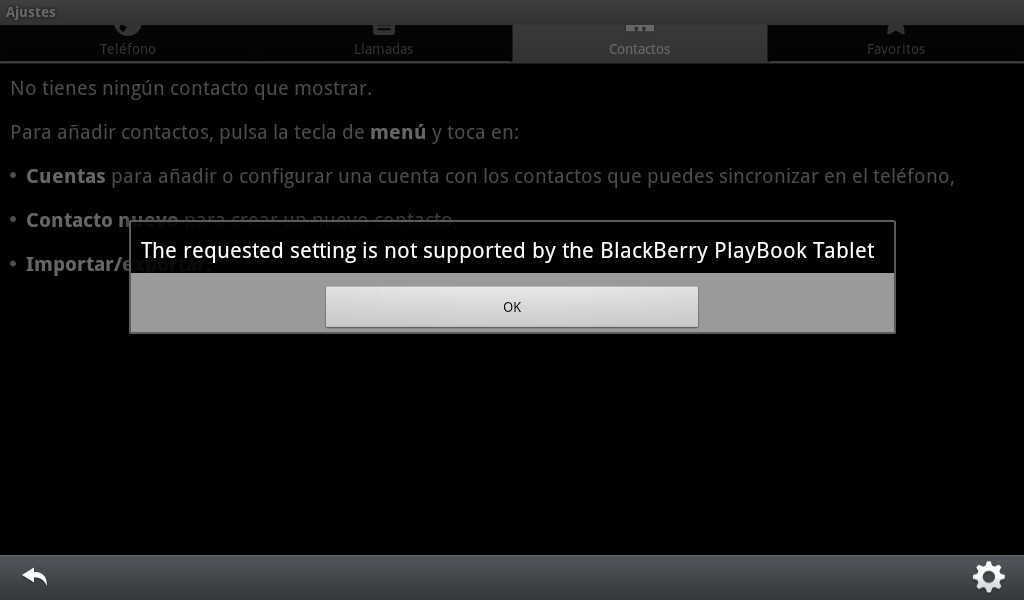
Esto quiere decir que habrá muchas aplicaciones que no funcionarán, ya se ha encargado la gente de RIM de que no se instalen aplicaciones que puedan hacerles competencia. Por ejemplo, si intentamos acceder al menú de cuentas para configurar tu cuenta de Google, RIM amablemente nos indica que no se puede, con lo que no podremos sincronizar nuestros datos.
El nuevo sistema está disponible, por el momento, como beta para desarrolladores. Pero claro, al no poder instalar .apks directamente, seguimos sin tener aplicaciones para probar. Aquí es donde llega el efecto comunidad y se comienzan a liberar aplicaciones Android reempaquetadas, en playbookbars.com tenemos un listado completo de aplicaciones listas para instalar.

Hay que puntualizar que para instalar las aplicaciones hay que hacerlo desde el SDK de desarrollo o usando BBHTool que lo hace todo mucho más sencillo. Como ya he comentado, imagino que seguirá siendo la manera de instalar muchas de las aplicaciones que RIM no querrá que nos instalemos, comenzando por el launcher.

Mi opinión personal. Sin duda la compatibilidad con Android abre un mundo de posibilidades a la Playbook, ahora estoy mucho más satisfecho con él, sigue teniendo carencias, pero ahora menos, eso sí, el sistema NO es estable en general, el runtime de Android debería ir bien sobre el hardware de la Playbook teniendo en cuenta además que el S.O. es QNX, pero aún así tiene cierto aletargamiento que hace que la experiencia en juegos no sea optima. Angry Birds, por ejemplo, funciona correctamente, pero no es lo fluido que un juego como este requiere.
He puesto muchas de las capturas minimizadas para que se vea que debajo está la Playbook, sino podríais pensar que es un tablet Android ;).
Yo, de momento, no vuelvo al OS 1.7 :P.
Related Posts
 Aplicaciones Valenbisi para smartphones Android, Symbian y BlackBerry
 Migrando de Symbian a Android manteniendo guía, agenda y mensajes
 Valenbisi para Blackberry ya en la App World
 Valenbisi.mobi como aplicación para Android ya disponible en Android Market
 Otras utilidades para un servidor de correo
 Conversión de vídeos a 3gpp bajo demanda en un entorno web
Puffff, sigo pensando que si lo mejor que se puede decir del tablet de RIM es que es capaz de emular “razonablemente” aplicaciones de Android, tienen bastante jodida la cosa.
Está claro que en espera de lo que pueda hacer Windows-8 sobre un tablet (y MS vuelve a llegar tarde a otro campo de batalla), y después de anunciar que HP descarta Touchpad bajo WEBOS , parece que no hay mucho hueco libre junto a los Android y el Ipad.
Y como siempre dices, los tablets son unos aparatos caretes para lo que te ofrecen, como para ir haciendo experimentos.
Después de mi hipersatisfaccion con el smartphone Samsung Galaxy S2 (mini tablet diría yo), creo que si me comprara una tableta, me iría a por el Samsung Tab 10.1.
@Jozeluiiiii
Como tergiversas mis palabras jodío :P.
¿Donde digo que lo mejor de la Playbook es la emulación de Android?
El cacharro va muy bien, va sobrado de hardware, conexión HDMI, la pantalla se ve muy bien, etc…
Las quejas siempre fueron, y ya lo hablamos en su día, a la falta de aplicaciones. Ahora han publicado el NDK que permite hacer aplicaciones nativas 100% con aceleración gráfica y todo, lo que permitirá que empiecen a aparecer muchas más aplicaciones como ya está ocurriendo con juegos de EA, ya hay cosas muy decentes.
Sobre el Galaxy Tab, pues claro, un cacharro tremendo. Yo me pararía a pensar si quiero las 10” o me sirven menos, yo estoy muy contento con las 7” de la mía, me parece muy manejable para llevar en cualquier lado.
amigo esta funcion todavia es posible realizarla¿¿ cual es la aplicacion para emular android en la playbook¿¿
@joey,
No necesitas ninguna aplicación adicional, la propia tablet actualizada soporta aplicaciones Android.